
Nothing.
You open Instagram.
Nothing.
You check what everyone else is posting.
Now there are too many ideas.
So you save a few.
Close the laptop.
And tell yourself:
“I’ll figure it out tomorrow.”
Tomorrow arrives.
Same problem.
What should I post?
Maybe the problem isn’t that you don’t have ideas.
Maybe you’re looking for ideas in the wrong place.
You Don’t Need More Ideas
The internet is already full of ideas.
- Content calendars
- Post templates
- AI prompts
- “100 content ideas” lists
- Trending topics
- Reels ideas
- LinkedIn hooks
You can collect ideas forever.
And still have nothing useful to say.
Because an idea isn’t automatically a good piece of content.
A good piece of content starts somewhere else.
With a problem.
Someone is stuck.
Someone is confused.
Someone is trying to do something.
Someone searched Google because they couldn’t figure it out.
That’s where you should look.
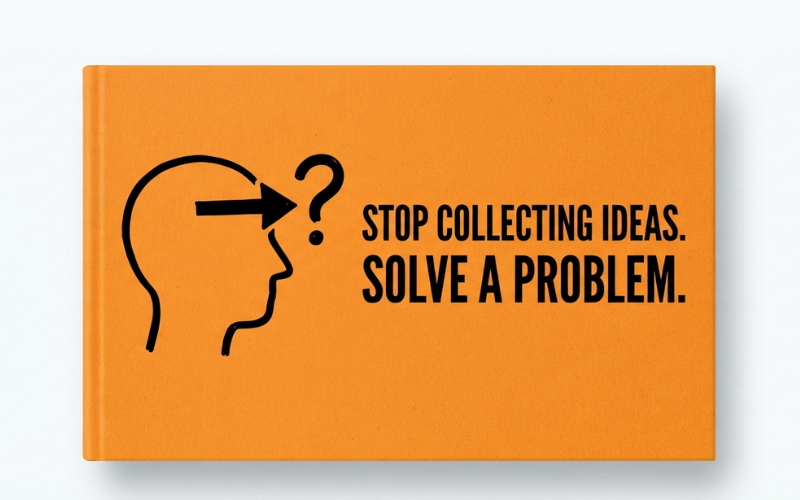
Stop Asking “What Should I Post?”
Try a different question.
“What is someone struggling with today?”
That question changes everything.
Imagine you sell handmade products.
You could create:
10 Instagram posts for handmade businesses
Or you could listen to a customer who says:
“I like your products, but I don’t know which one to choose.”
Now you have something.
How to Choose the Right Handmade Product for Your Needs
One is a content idea.
The other is an answer to a real question.
People don’t wake up hoping to consume another post.
They wake up with problems.
Your job is to notice them.
Your Next Idea Is Probably Already Being Asked
Look around.
A customer asks you something.
Write it down.
A colleague gets stuck.
Write it down.
Someone leaves a confused comment.
Write it down.
You search Google and can’t find a simple explanation.
Write it down.
Someone asks:
“Why isn’t my website getting traffic?”
Don’t answer and forget it.
Save it.
That question could become:
Why Is My Website Not Getting Traffic?
Then another question appears:
“How do I know if Google has even found my website?”
Another article.
Then:
“How long does SEO take for a new website?”
Another.
Suddenly you don’t have one idea.
You have a small library.
Not because you became more creative.
Because you started paying attention.
Google Isn’t Just a Search Engine
Most people use Google to find answers.
Content creators can use it to discover questions.
Start typing:
how to get traffic to…
Don’t even press enter.
Look at what Google suggests.
Those suggestions are clues.
Search the question.
Look at:
- People Also Ask
- Related searches
- Search results
- Questions appearing repeatedly
But don’t just copy the phrases.
Ask:
“Why does someone need this answer?”
That’s where the real content idea is hiding.
A keyword tells you what someone typed.
A problem tells you why they typed it.
You need both.
Read the Comments
Here’s another place people ignore.
Comments.
Someone publishes a detailed article or video.
The creator answers the main question.
Then someone comments:
“But what if I’m a beginner?”
Another:
“Can you show an example?”
Another:
“What if I don’t have money for this?”
These aren’t interruptions.
They’re research.
The audience is telling you where the original content stopped being useful.
That gap is your opportunity.
You don’t have to shout louder.
You can simply answer better.
Your Competitor Has Already Done Some of the Work
Don’t look at competitors and think:
“What can I copy?”
Ask:
“What did their reader still need after reading this?”
Suppose someone writes:
The Complete SEO Guide for Beginners
It’s 4,000 words.
Everything is there.
Almost.
A beginner might still ask:
“Okay. I have a new website. What do I actually do tomorrow morning?”
That’s a better article.
Not bigger.
Not louder.
Just more useful.
Your Own Confusion Is Research
This one matters if you’re learning.
You don’t have to wait until you’re an expert to create useful content.
Think about the last thing you struggled to understand.
What did you search?
What took you an hour?
What explanation finally made sense?
What did you wish someone had told you at the beginning?
That’s a possible article.
You learn something.
You test it.
You explain it.
Someone one step behind you benefits.
That’s not pretending to be an expert.
That’s documenting the journey.
One Problem Can Become Ten Pieces of Content
Take one problem:
“My blog isn’t getting traffic.”
Now keep asking questions.
- Why?
- How do I know Google has indexed it?
- How do I find keywords?
- How long should I wait?
- What can I do without ads?
- What mistakes should I avoid?
- What should I fix first?
- What should I measure?
Same problem.
Different questions.
Different pieces of content.
This is how you stop depending on inspiration.
You go deeper instead of wider.
Don’t Confuse a Topic With a Problem
This distinction is small.
But it matters.
SEO is a topic.
“I published ten articles and Google sends me almost no visitors.” is a problem.
Instagram is a topic.
“My Reels get views but nobody enquires about my service.” is a problem.
Content marketing is a topic.
“I know I should post consistently but I never know what to say.” is a problem.
Topics are broad.
Problems are specific.
And specific problems give people a reason to pay attention.
Use AI to Explore. Not to Think for You.
You can ask AI:
“Give me 50 content ideas.”
You’ll get 50 ideas.
That’s easy.
The internet doesn’t need another 50 generic ideas.
Instead, give AI a real problem.
Try:
“I’m creating content for [audience]. List the specific problems they might face while trying to [goal]. Give me the questions they would actually ask, rather than generic content topics.”
Now you’re using AI as a research assistant.
Not as a replacement for curiosity.
That’s an important difference.
Use This Before You Create Anything
Before creating your next post, ask four questions:
1. What question are they asking?
Find the question.
2. What problem is underneath it?
Understand why they are asking.
3. What useful answer can I give?
Research it.
Test it.
Explain it simply.
4. What can they do next?
Give them an action.
That’s it.
Question → Problem → Answer → Action
You don’t need a complicated content machine.
You need to become better at noticing.
Try This for 15 Minutes
Don’t search for “content ideas.”
Do this instead.
First 5 minutes
Write down five questions people have asked you.
Next 5 minutes
Take those questions to Google.
Look at:
- Autocomplete
- People Also Ask
- Related searches
- Search results
Last 5 minutes
Pick one.
Finish this sentence:
“After reading this, the person will be able to ______.”
If you can answer that clearly, you’ve got something worth creating.
Create it.
Build a Problem Bank
Don’t keep an “ideas list.”
Keep a problem bank.
There’s a difference.
An ideas list might say:
SEO tips
A problem bank says:
“I have a new website. How do I get Google to find it?”
The second one is much easier to turn into useful content.
Whenever you find a question, save it.
Google.
Comments.
Customer conversations.
Your own learning.
Competitor gaps.
Save them.
You don’t have to create everything immediately.
Collect first. Create later.
Over time, you’ll have something better than inspiration.
You’ll have evidence.
You Don’t Need to Post Every Day
There’s a trap in content creation.
The calendar says:
Monday: Post.
So you post.
Even when you have nothing useful to say.
That’s not consistency.
That’s filling space.
The goal isn’t:
“I published something today.”
The better goal is:
“Someone had a problem. I made it easier for them.”
Sometimes that takes an hour.
Sometimes it takes a day.
Sometimes the research itself is the work.
That’s okay.
The internet already has enough content.
What it needs is better answers.
The Question to Carry With You
The next time you sit down and think:
“What should I post today?”
Don’t open ChatGPT.
Don’t search for another list of 100 ideas.
Don’t scroll your competitor’s feed for inspiration.
Pause.
Look around.
Ask:
What problem can I help someone solve today?
Someone is already searching.
Someone is already confused.
Someone is already stuck.
Someone is already asking.
Find them.
Listen.
Then answer.
That’s where your next piece of content is.